

















THE EVOLVED EDIT
Best MagSafe Car Mount: Vent, Dash & Charging Guide

The short answer
The best MagSafe car mount is the one that fits a stable mounting point in your specific car, holds your phone and case securely, and provides the charging function you actually need. Start by choosing between a vent, dashboard or vehicle-specific mount. Then verify magnetic attachment, wireless charging support, maximum charging power and certification separately—they are not the same thing.
1. Choose the right mounting location first
A mount can have strong magnets and useful charging features but still be the wrong choice for your vehicle. Inspect the available surfaces, vent shape, controls and sightlines before comparing wattage.
Vent mount
A vent mount is easy to install and remove without attaching anything permanently to the dashboard. It also keeps the phone close to the center controls in many cars. Check the vent shape and construction carefully: standard horizontal slats, vertical slats and circular vents can need different attachments. Make sure the clip does not press on a fragile vane or interfere with the vent's adjustment.
Dashboard or windshield mount
A dashboard or windshield mount gives you more freedom to choose the height and viewing angle. The tradeoff is that suction cups and adhesive pads need a suitable clean, smooth surface. Curved, heavily textured or soft-touch dashboards may not provide a dependable base. Windshield-mount rules also vary by location, so check the law where you drive.
Vehicle-specific mount
A vehicle-specific mount can fit more neatly around a particular dashboard or display. The label “vehicle-specific” does not mean universal within that brand. Confirm the exact car model, model year, interior layout and mounting position on the product page before ordering.
2. A magnetic holder and a wireless charger are different products
A passive magnetic mount only holds the phone. A wireless-charging car mount also contains a charging transmitter and still needs power through a cable connected to the car. Magnetic attachment alone does not prove that a mount charges, and a “MagSafe-compatible” label does not establish a particular charging speed or Qi certification.
For a powered mount, check the complete chain:
- The phone must support the charger's wireless standard and power tier.
- The mount must be connected to a suitable car adapter or USB power source.
- The cable must support the required input and remain securely connected.
- The phone's software, battery level and temperature can change delivered power.
A higher-capacity car adapter does not force its full rating into the phone, and it does not make the wireless mount exceed its own maximum. The USB-C charger checklist explains how the adapter, cable and device negotiate power. For the difference between standards, speed claims and certification, read our Qi2 vs MagSafe guide.
3. Will a MagSafe car mount work with your case?
Usually, when the phone supports MagSafe and the case is made for the exact phone with a correctly positioned magnetic ring. The mount attaches to the case's magnetic system rather than trying to hold through an ordinary layer of material.
Check for these common problems:
- A thick case can increase the distance between the charging coils.
- An off-center aftermarket ring can attach while leaving the coils misaligned.
- A wallet, grip or stand can prevent the phone from sitting flat.
- A loose metal plate can interfere with wireless charging.
- A large camera surround can touch the mount before the back of the case does.
Remove detachable wallets before placing the phone on a charging mount. Apple also tells users to remove its iPhone wallet before using a MagSafe charger. If charging works without the case but not with it, use the troubleshooting steps in our wireless charging through a case guide.
An Android phone can use some magnetic mounts when the phone has built-in magnetic support or a purpose-built magnetic case. That physical attachment does not automatically establish wireless-charging compatibility or speed. Verify all three parts: phone, case and mount.
4. Place the phone where it helps without creating another distraction
Choose a position that does not block your view of the road, mirrors, instruments, controls or safety equipment. Keep the mount and its cable away from airbag deployment areas, and follow the vehicle manufacturer's instructions. Local rules can restrict windshield placement and phone interaction even when the device is mounted.
Set the angle, route guidance and audio before moving. Use voice guidance and the vehicle's controls where possible. The U.S. National Highway Traffic Safety Administration warns that interacting with a phone takes attention away from driving; a mount is not permission to type, browse or handle the phone behind the wheel.
5. Heat can matter as much as headline wattage
Wireless charging produces heat, and a car can add direct sunlight, a hot dashboard and navigation use at high screen brightness. Apple says charging may be put on hold when an iPhone becomes too hot or too cold and resumes after the device returns to a normal temperature.
Keep the phone out of direct sun when practical. Do not cover the charger or block its ventilation. A vent mount may receive cool air when air conditioning is running, but hot air from the heater can work against charging. If the phone shows a temperature warning or charging pauses, move it to a cooler place and let it return to a normal temperature.
6. MagSafe car mount buying checklist
- Mounting point: confirm the vent, dashboard, glass or vehicle-specific location.
- Attachment: verify the exact phone and case support magnetic accessories.
- Charging: decide whether you need a powered charger or only a holder.
- Power: check the mount's listed output and required car adapter.
- Certification: do not treat “compatible” as proof of certification; match an exact model in the relevant certification database when that matters.
- Clearance: check the camera housing, case accessories and cable route.
- Placement: keep the display, controls and airbag areas clear and follow local law.
- Temperature: consider sunlight, heating vents and long navigation sessions.
7. Compare Evolved magnetic car-mount options
Evolved currently lists several active options for different cars and charging needs:
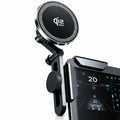
- MagDrive includes standard-vent, circular-vent and dashboard mounting options. Its product page lists wireless output up to 15W and a USB-C cable. Your phone and complete power setup determine the rate it can actually receive.
- MagDrive Flex uses a vacuum-suction base and adjustable arm. Its product page lists active cooling and wireless output up to 25W. Confirm that your exact phone supports the relevant charging tier before choosing it for speed.
- MagDrive Edge is the vehicle-specific option for supported Tesla interiors. Check the exact vehicle and installation location on the current product page.
Browse the complete car charger collection to compare current mounting styles and product specifications. These are listing details, not independent Evolved performance tests.
Buying a mount for a newly announced—or not yet announced—phone?
Do not assume compatibility from the phone family's name. A magnetic car mount is less dependent on exact body dimensions than a fitted case, but the phone still needs the correct magnetic and wireless-charging support. If you use a case, that case must match the exact phone. Wait for the phone maker's official technical specifications and the accessory's updated compatibility list before relying on a speed or fit claim.
Choose the mount around your car—not the product photo
Start with the mounting point available in your vehicle, then compare attachment, charging and power requirements. A secure non-charging holder can be the better choice when you already prefer wired charging; a powered magnetic mount can reduce cable handling when the complete setup supports it.
Frequently asked questions
Does every MagSafe car mount charge the phone?
No. Some mounts only provide magnetic attachment. A charging model needs a wireless transmitter, a cable and a suitable power source.
Is a vent mount better than a dashboard mount?
It depends on the car. Vent mounts are easier to remove and avoid adhesives. Dashboard mounts offer more positioning freedom but need a suitable surface and careful placement.
Can I use a MagSafe car mount with a phone case?
Yes, when the case is made for the exact phone and includes a correctly aligned magnetic system. Remove wallets, loose metal plates and other attachments before wireless charging.
Why does my iPhone stop charging in the car?
Heat, the adapter, cable, case, alignment or device compatibility can limit charging. If the phone is hot or reports that charging is on hold, move it away from direct sun and let it cool.
Will a MagSafe car mount work with Android?
Some Android phones can use a compatible magnetic case or have built-in magnetic support. Confirm attachment and wireless-charging compatibility separately for the exact phone, case and mount.